
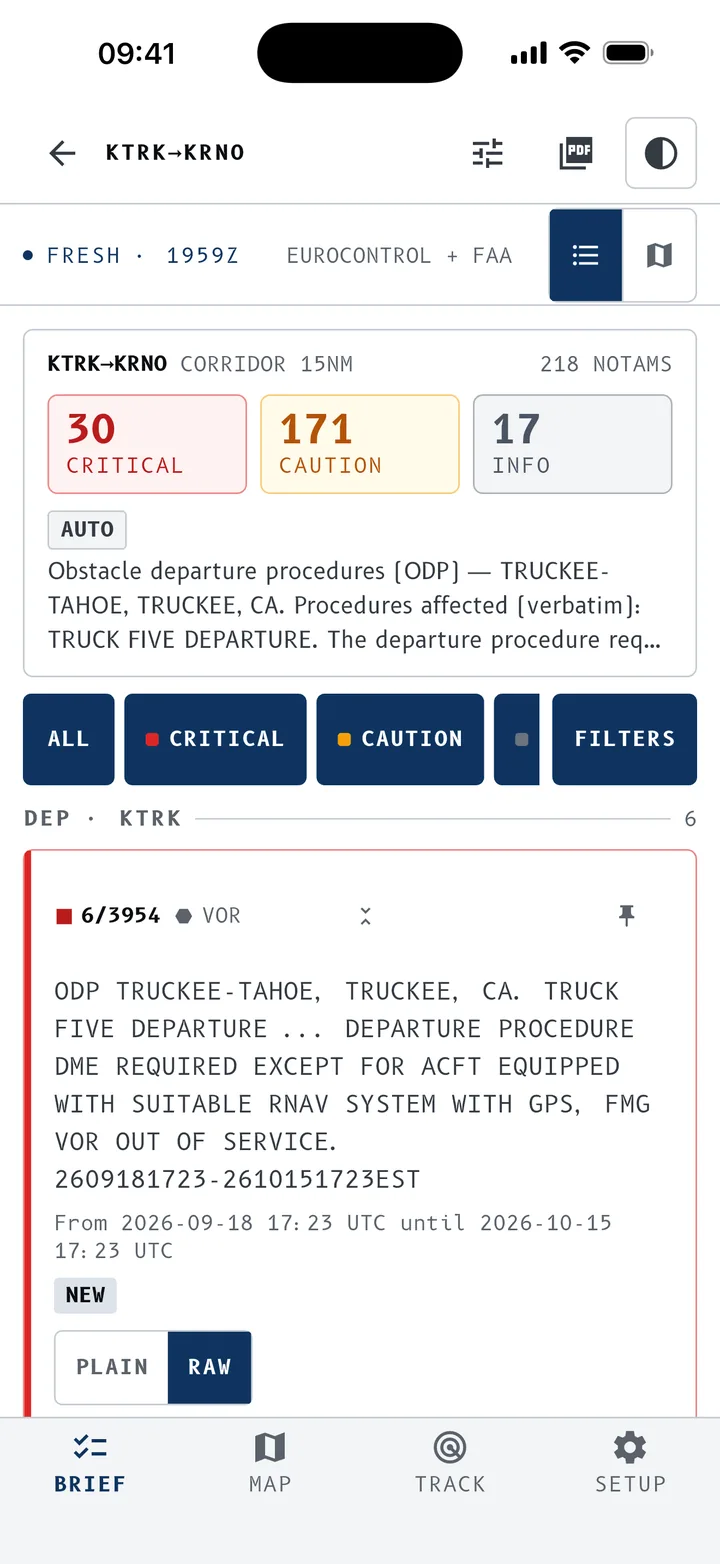
A hundred NOTAMs. One that matters, buried in the pile.
A local flight often pulls more than twenty; a cross-country, ten times that. Nobody reads them all in detail before every flight. NOTAM Briefer sorts them, puts each one on the chart, and brings the ones that concern you to the top.
One airfield, or the whole flight
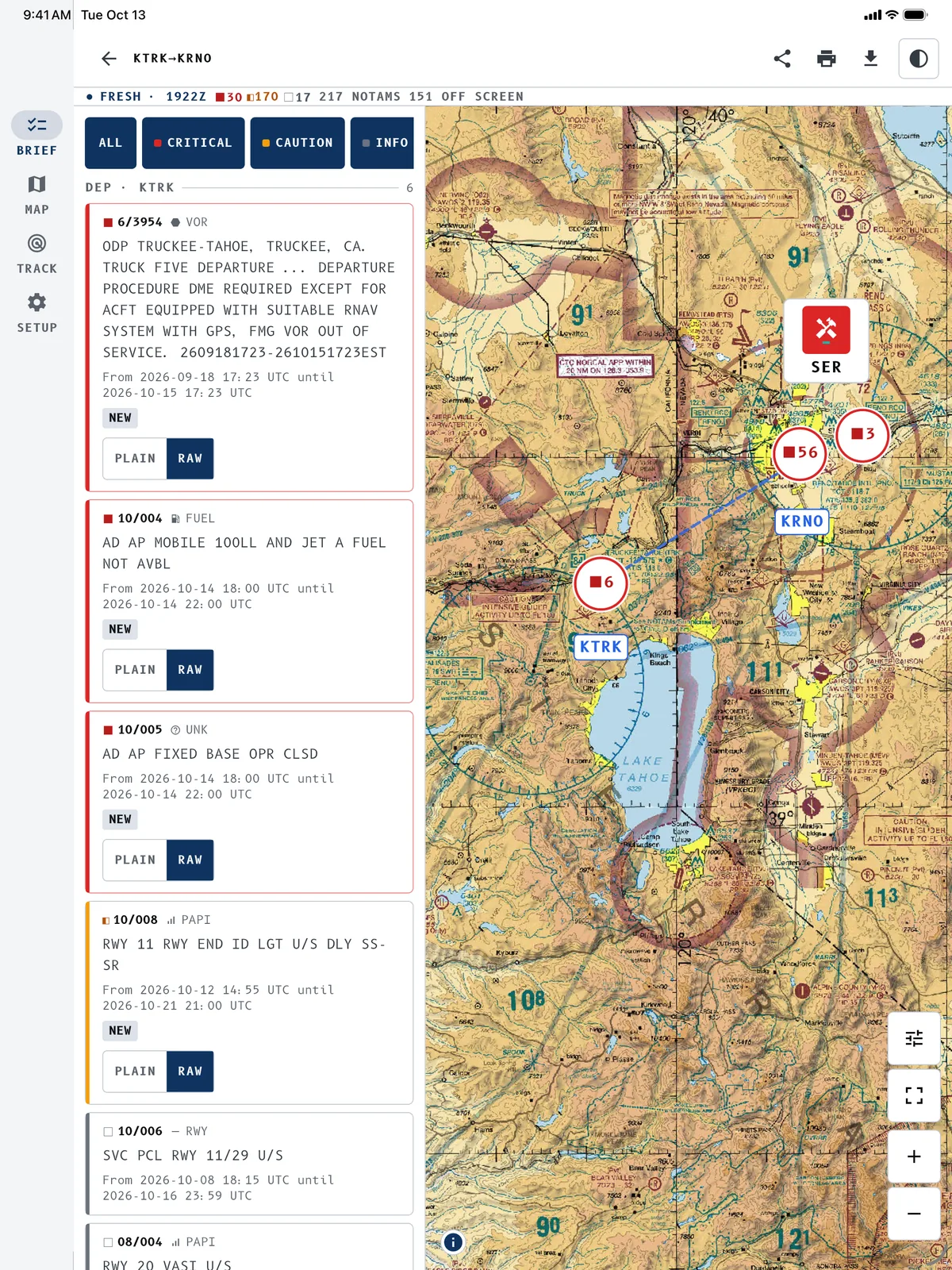
A single airfield
Type or speak an ICAO code. You get every NOTAM for the airfield and its surroundings, ranked by severity. Right before a local flight, pattern work, or a first visit to an unfamiliar field.
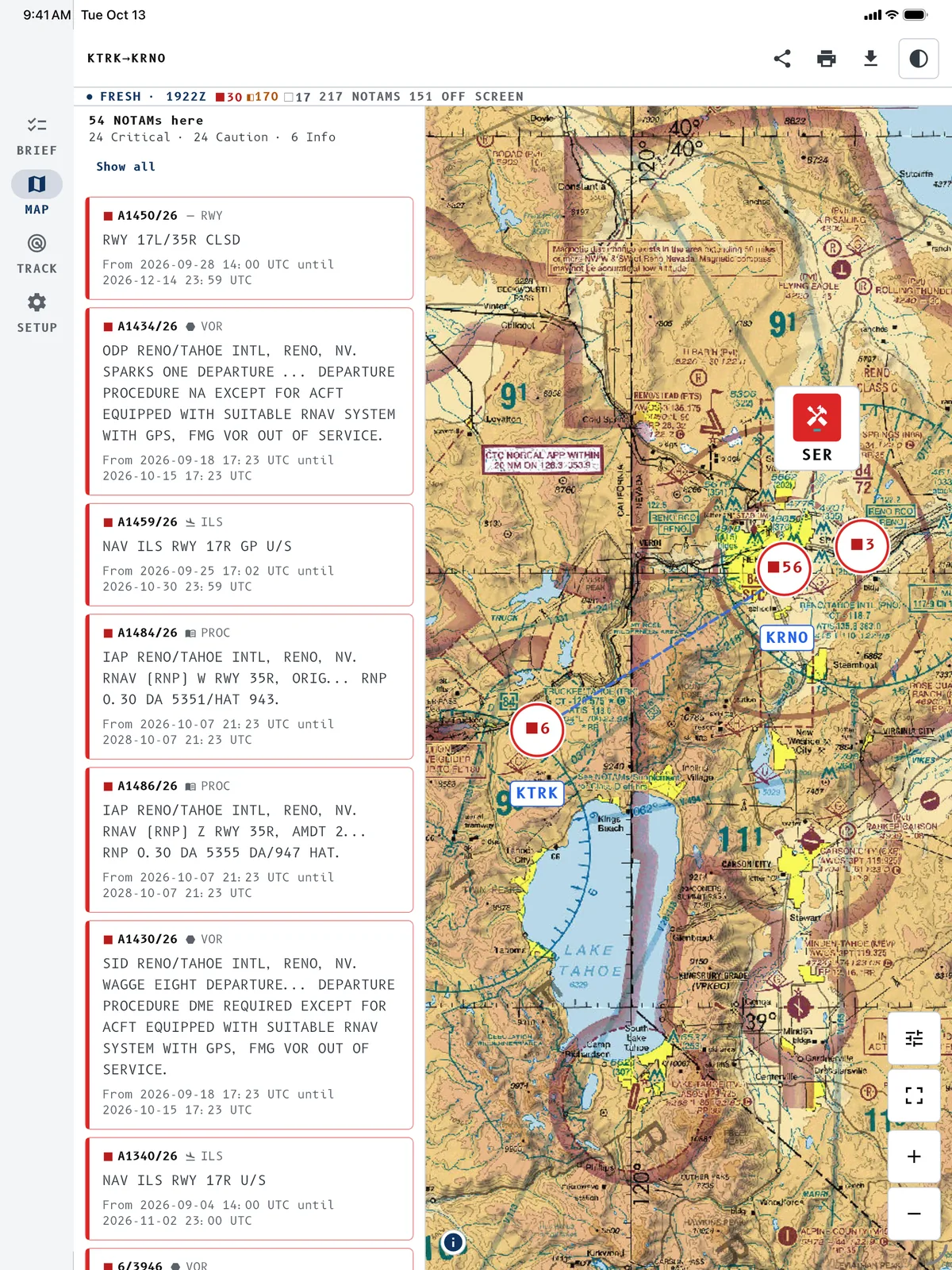
The whole flight
Departure, destination, alternates: NOTAM Briefer gathers the NOTAMs for every airfield and the corridor between them, in flight order and by severity. What matters is at the top.
Three levels, one quick decision
Each NOTAM gets a severity level from its category, its keywords (closure, prohibition, obstacle), the altitudes involved, and how soon it comes into force.
Critical
Runway closed, prohibited airspace, temporary restricted zone, NOTAM coming into force within two hours. Read first, always.
Caution
Temporary obstacles: cranes, wind turbines, balloons, parachuting, drones, fireworks, bird activity. Anything that changes the picture of the airfield or the sector.
Info
Ground services, frequencies, lighting, taxiway works. Good to know, no immediate effect on the flight.
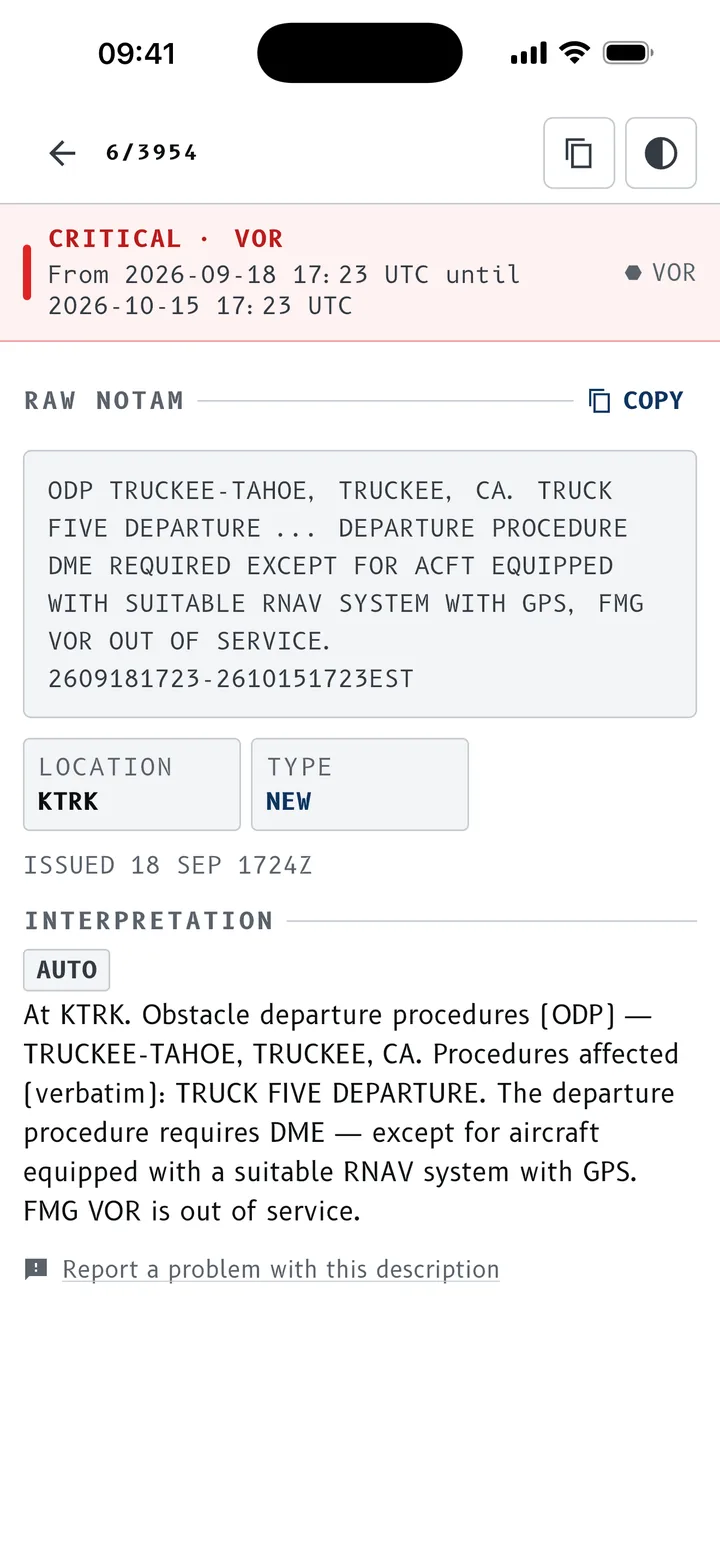
Raw text first, plain language underneath.
The published teletype is what you are accountable for having read, so it comes first. Right below, a reading in English or French, clearly marked as machine generated. Technical codes are kept (RWY, TWY, ILS, FL), abbreviations expanded (CLSD, OOS, U/S, PN). Prefer plain language first? One setting flips the order.
- Location, validity period, altitudes and radius pulled out into readable fields.
- One button copies the raw NOTAM, another reports a doubtful reading.
- A raw / plain toggle to show only one or the other.
See it all on the chart.
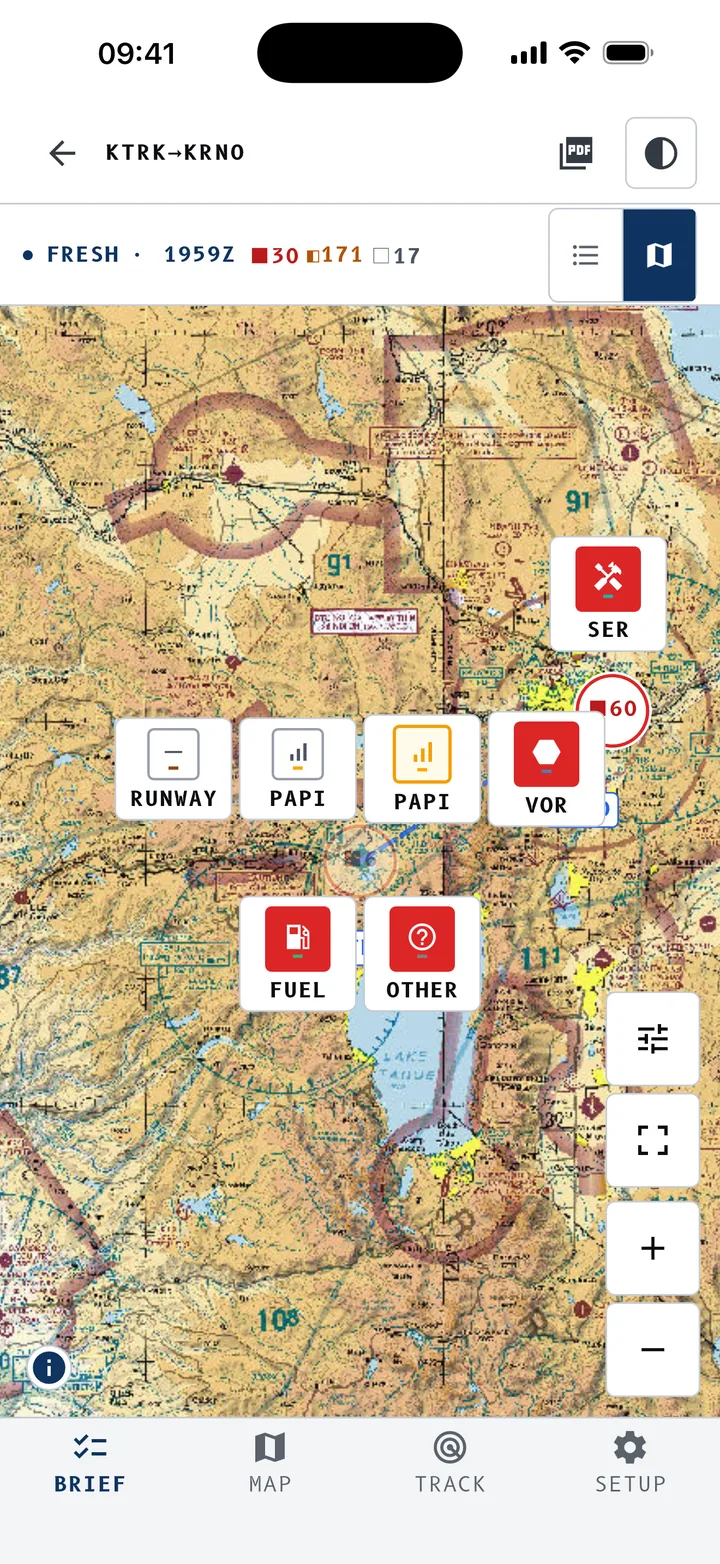
Every NOTAM is drawn on the VFR chart: affected areas, route line, severity and category colours. Symbols cluster as you zoom out and spread around an airfield as you zoom in. One tap opens the full record.
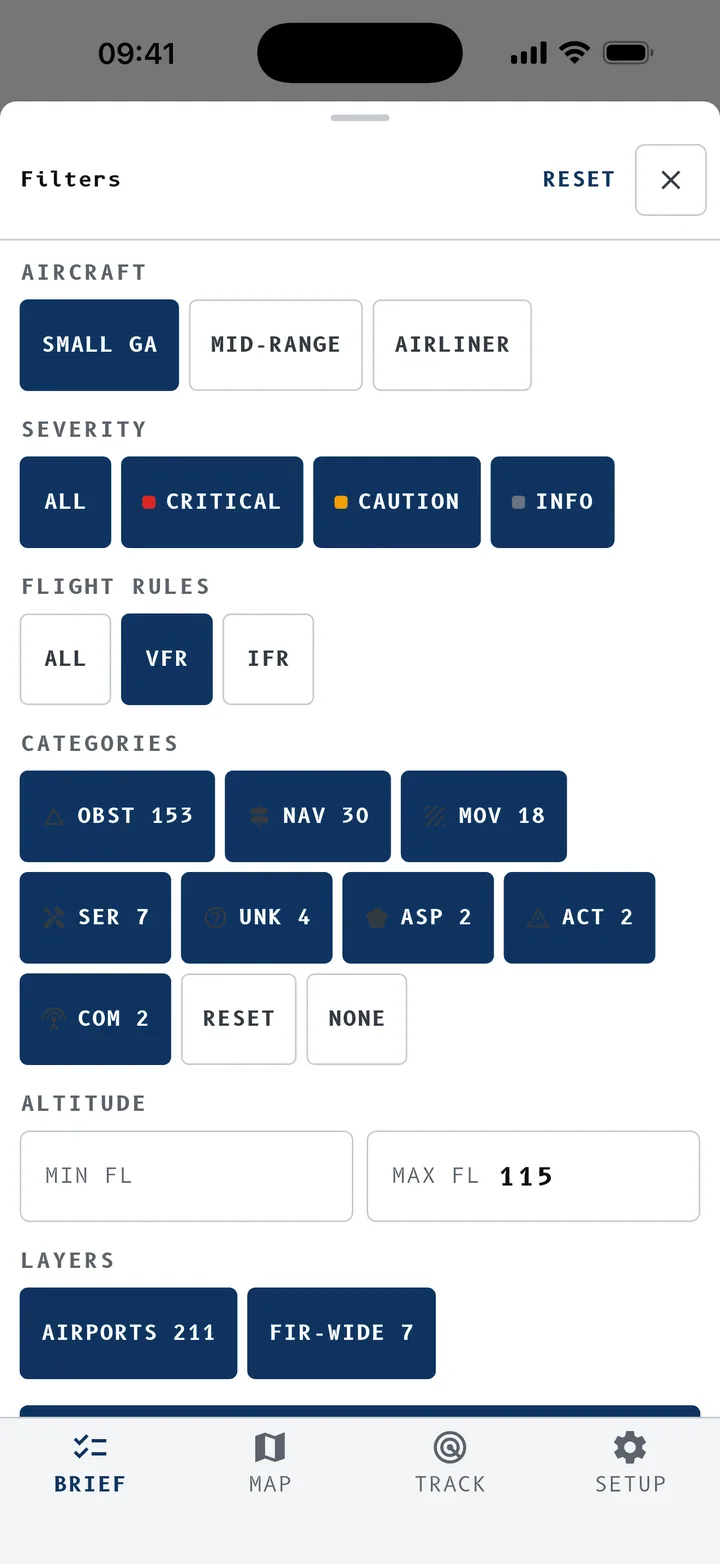
- Filters: flight rules (all, VFR, IFR), altitudes, layers, severity, categories.
- Airfield NOTAMs and FIR-wide NOTAMs kept apart, on the chart and in the list.
- Light, dark and night red themes.
Live tracking, with or without a signal
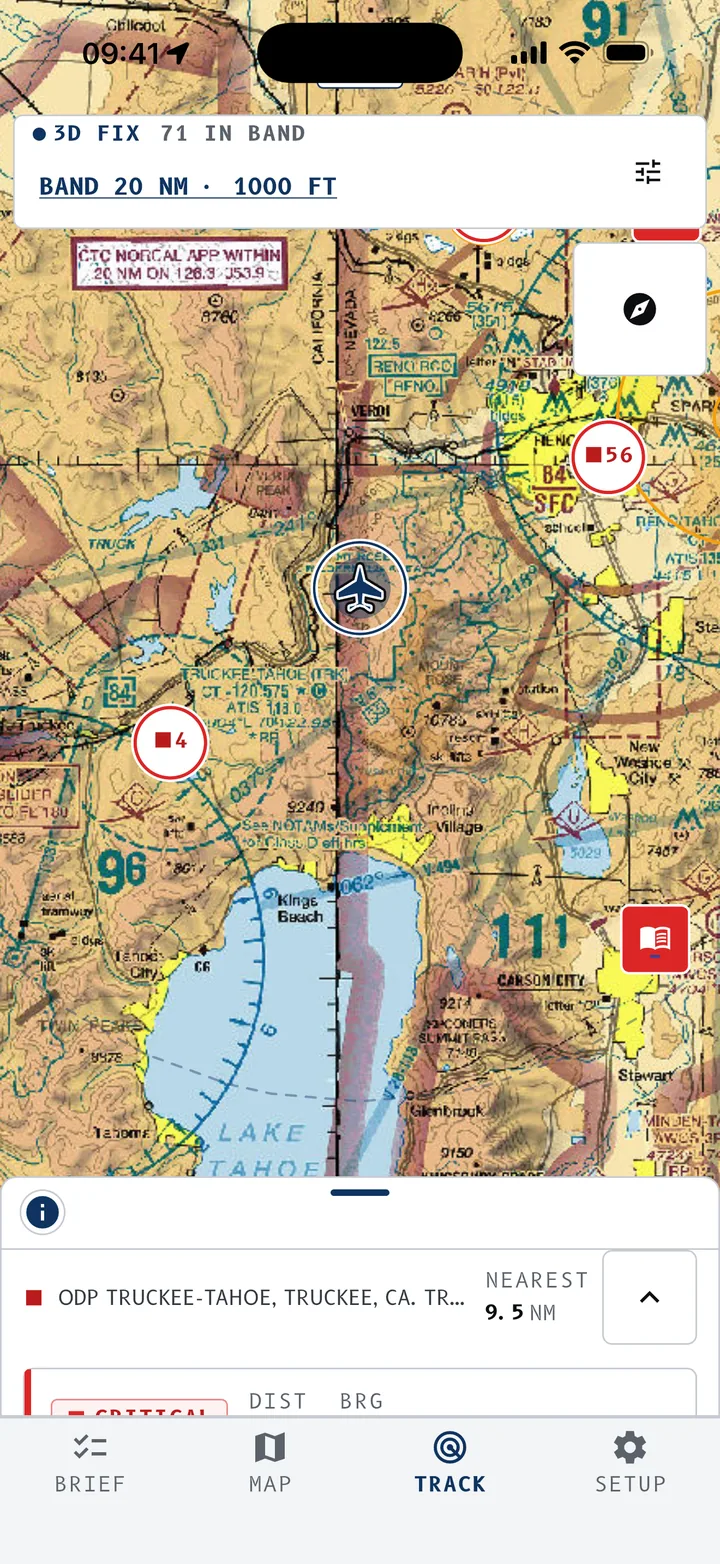
Turn on tracking and the app watches for NOTAMs around the aircraft. Your position shows on the chart, north up or track up, and you are told when you enter or leave an affected area.
Proximity alerts
When you enter an area, the alert shows in plain words, with the NOTAM behind it.
Set your own band
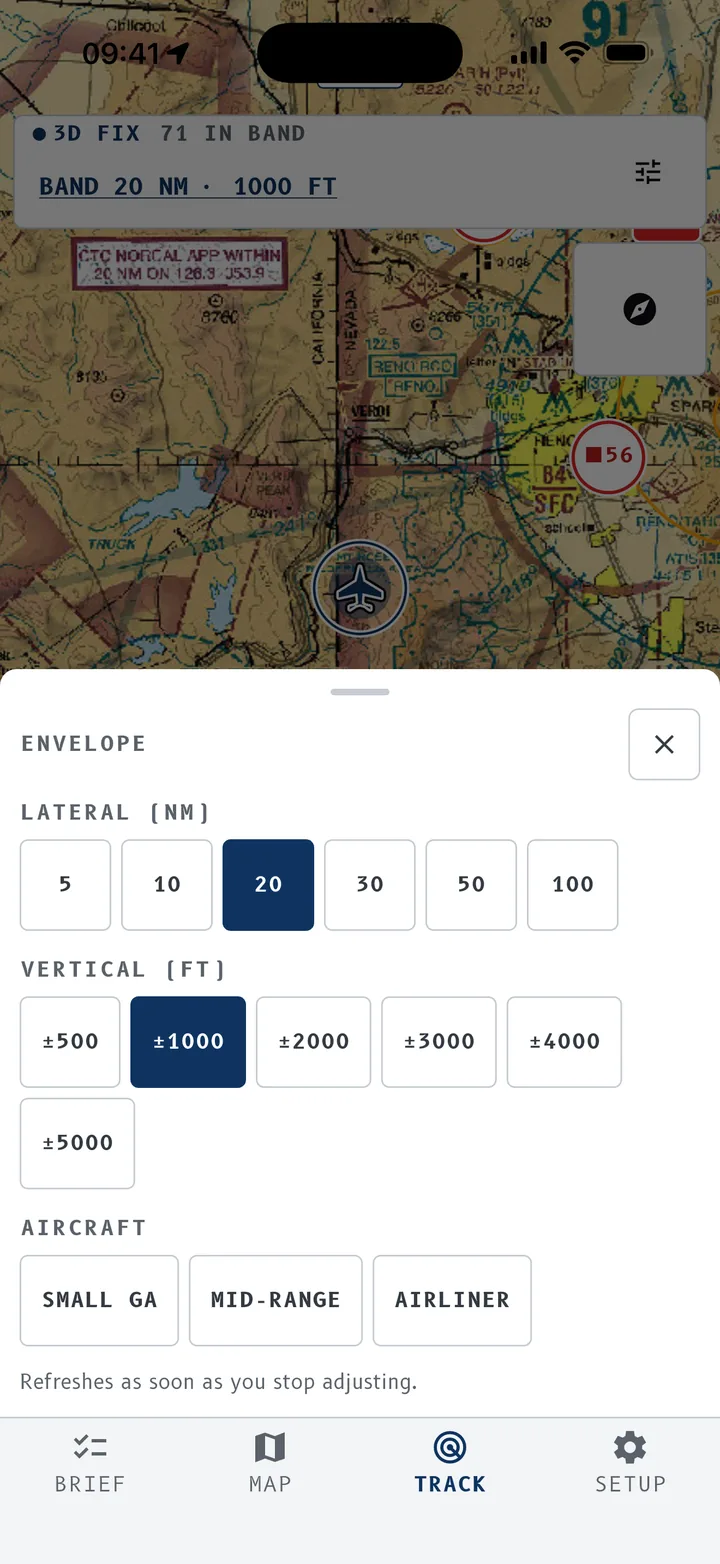
Lateral 5 to 100 NM, vertical 500 to 5,000 ft, light aircraft, mid-range or airliner presets. Tracking refreshes as soon as you adjust.
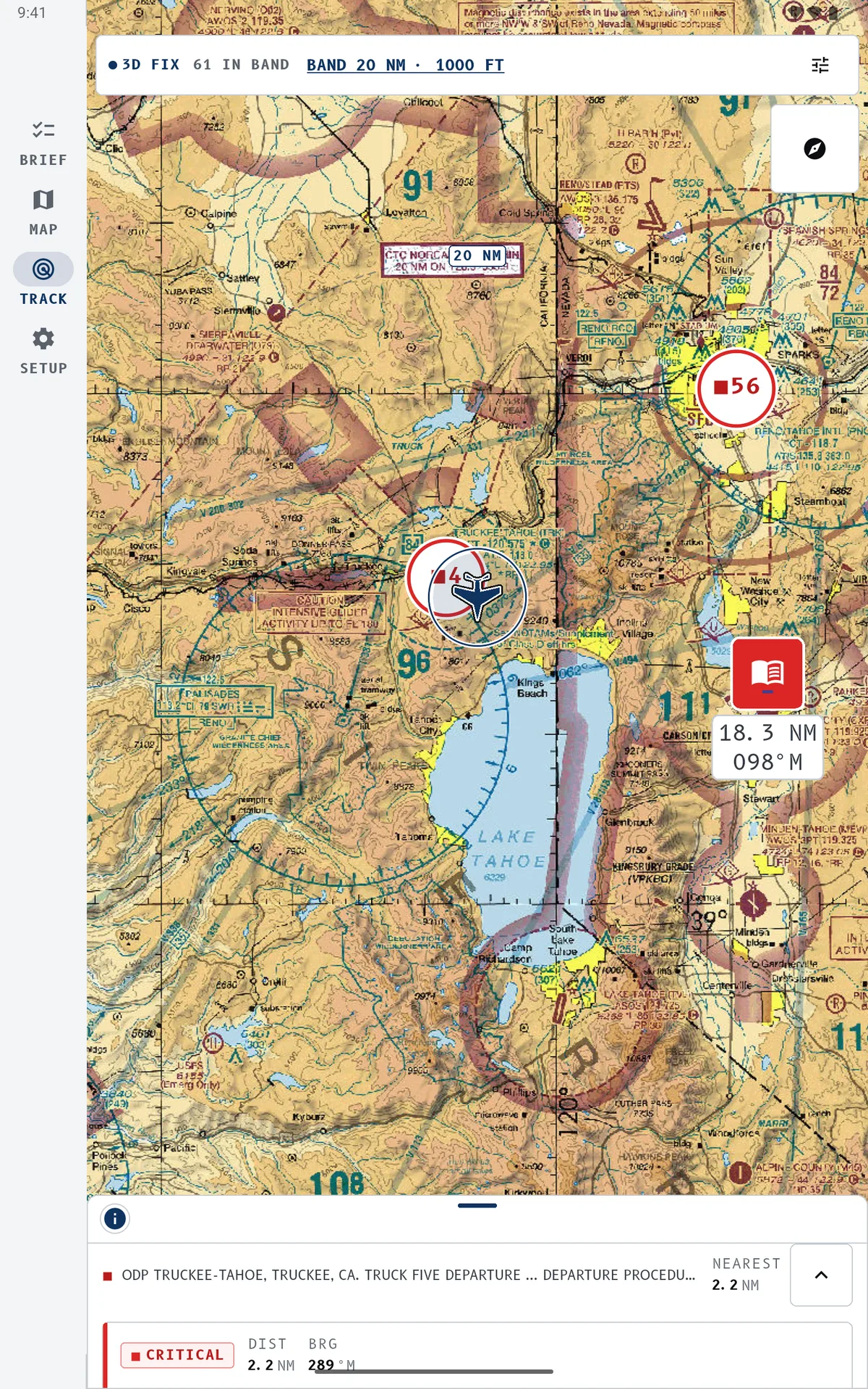
No signal, still working
While the app is open it keeps the chart and NOTAM data around the aircraft: 50 NM at high detail, 150 NM around that. If the signal drops, tracking carries on from stored data and tells you how old it is. Under 150 MB on the device.
Night red for the cockpit
A deep red theme that protects your night vision: chart, list, alerts and tracking all switch to red, not a white pixel left. Light, dark, night red, or follow the system: your call. Tracking, alerts and filters work exactly the same.
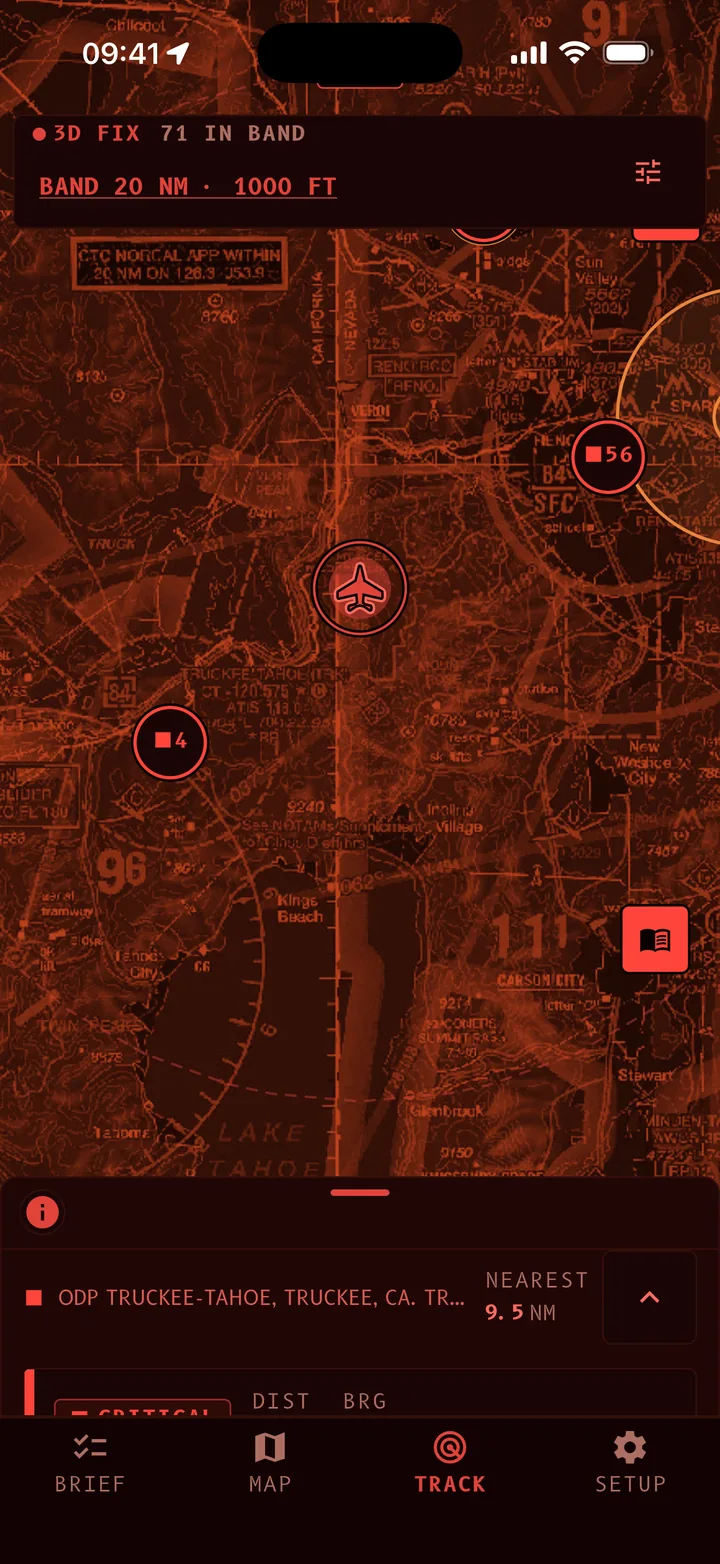
Alert inside an area
You enter a NOTAM's area: the alert shows at the bottom of the chart, in red, with the NOTAM behind it.
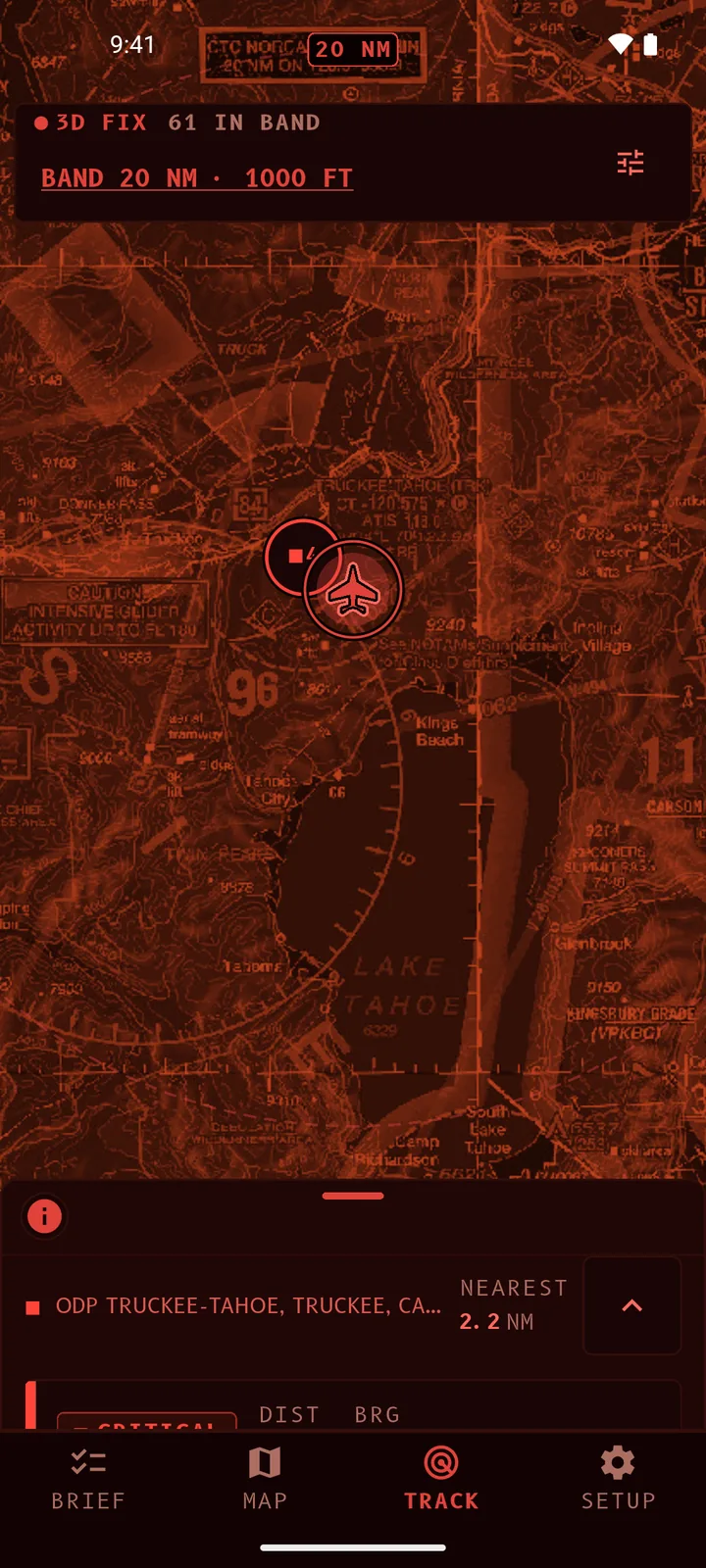
Same screen on Android
Tracking, symbols and alerts identical, whatever the device.
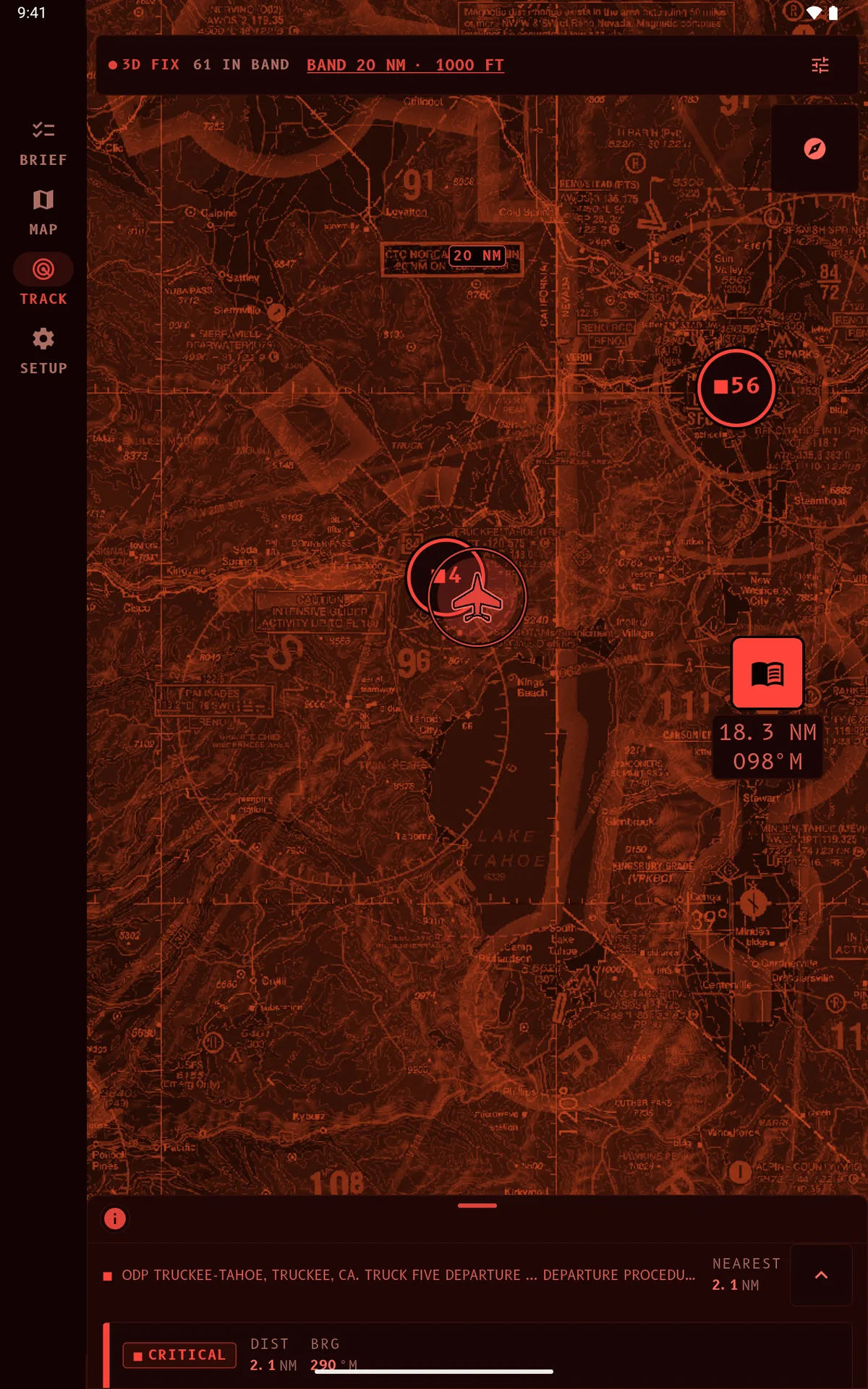
Wide view on a tablet
The tracking radius and surrounding NOTAMs across the whole tablet.
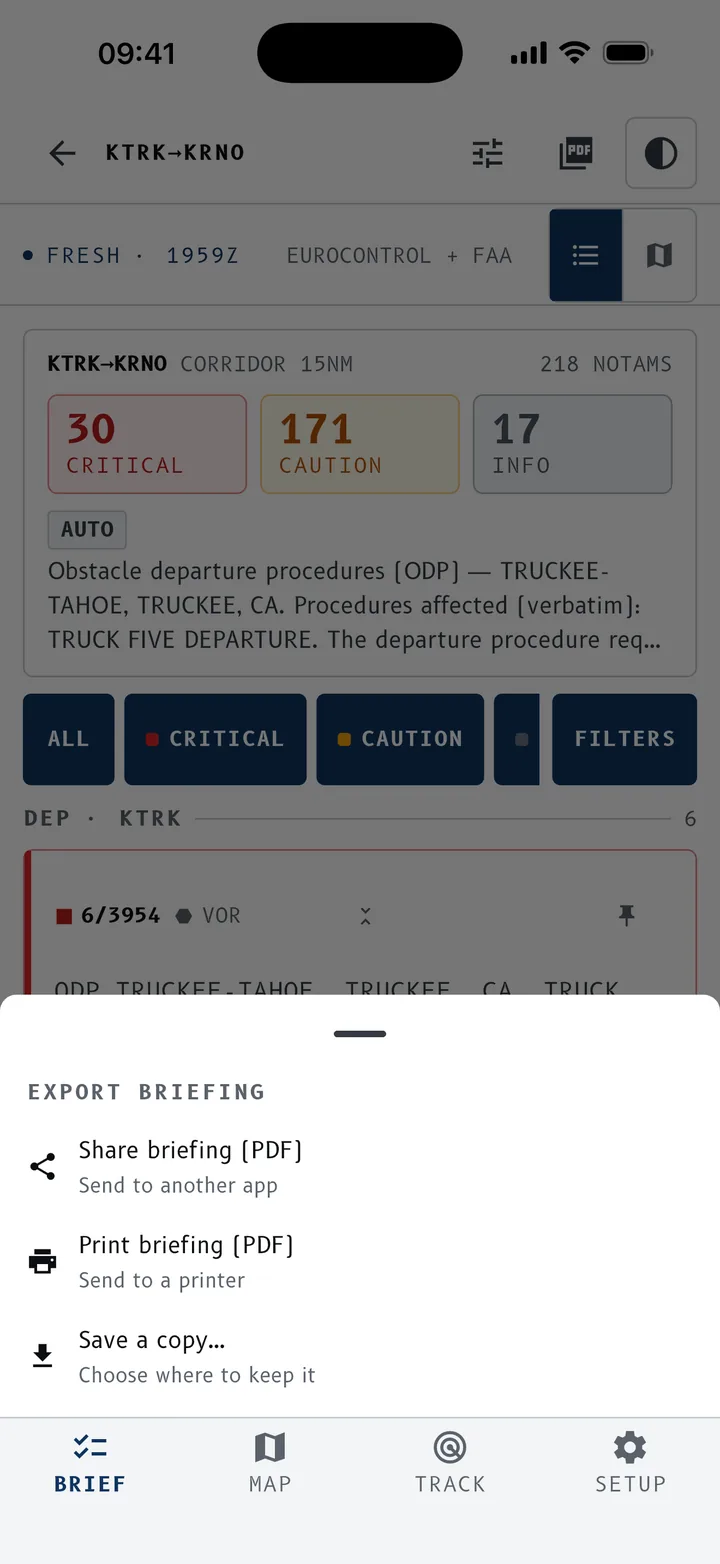
Take your briefing with you.
Export any briefing as a PDF to share, print or file. Each section carries the map of its NOTAMs. The document is built on the device, so it works offline too.
- Briefings you have already opened stay readable offline.
- Saved routes for the legs you fly often.
Also in the app
Voice entry
Speak ICAO codes in standard phonetics, in English or French.
Saved routes
The legs you fly often, ready in one tap, briefing included.
Filters
VFR / IFR, altitudes, severity, category: combine what matters for your flight.
Settings
Feet or metres, north up or track up, haptics, NOTAM text at 100 to 150%, light, dark or night red theme.
Coverage
NOTAMs from FAA and Eurocontrol sources, with the origin shown on every briefing.
Accessibility
Follows the system text size, up to the largest accessibility settings.
French / English
Interface, plain-language readings and voice entry in both languages, aviation vocabulary respected.
iOS, Android, Web
iPhone, iPad, Apple Silicon Mac, Android, and the browser. Same data, same reading.
A reading aid, not an official briefing
NOTAM Briefer is not approved for flight preparation or navigation, and its data may be incomplete or delayed. Plain-language readings are automated and may be wrong: the raw NOTAM text is the sole source of truth. The official briefing from your aeronautical information service (FAA, SIA, Eurocontrol) remains the reference, and the pilot in command remains responsible for flight preparation and the go/no-go decision.
Get NOTAM Briefer.
Free to start. Premium and Premium+ available in-app.