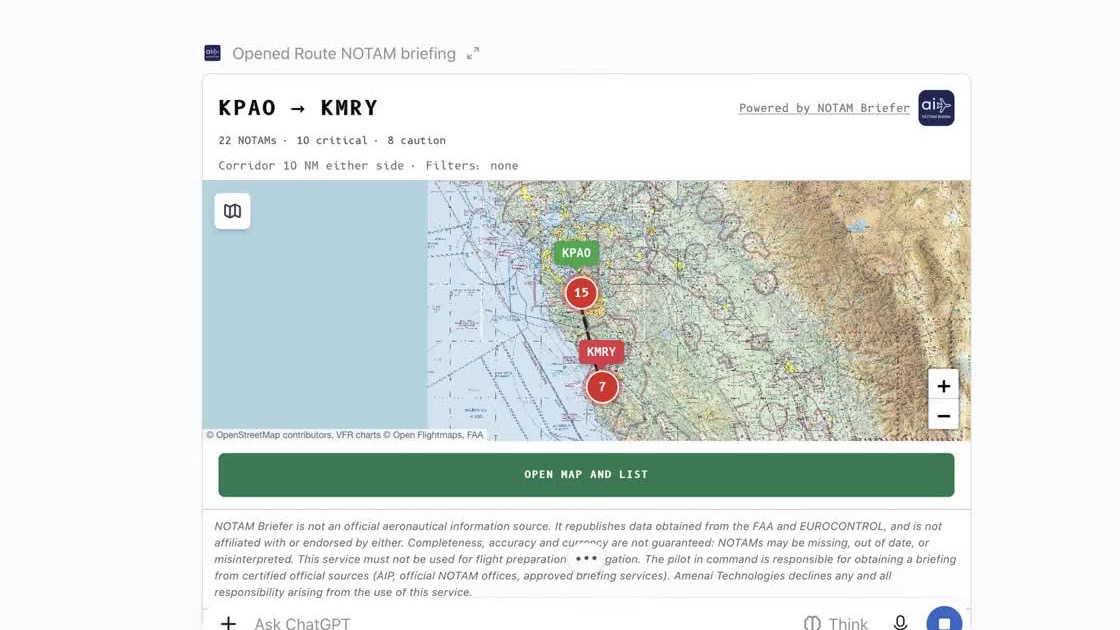
Since September, NOTAM Briefer has answered AI agents over the MCP protocol. Until now you had to add the server address by hand. Not any more: NOTAM Briefer is listed in the ChatGPT directory, approved by OpenAI on 17 November 2026, and in the Claude connectors directory.
For a pilot, the change is simple. You ask where you already plan the flight, and the answer comes from the same source as our apps.
The demonstration
Three questions, asked in ChatGPT: the NOTAMs at Toussus-le-Noble (LFPN), those along a route from Palo Alto to Monterey, then those at Toulouse-Blagnac (LFBO), in French.
What the pilot gets
- An airfield or a route. An ICAO code is enough for an airfield. For a route: departure, destination and, if needed, alternates and the corridor width.
- The NOTAM Briefer screen inside the conversation. The map, the list ranked by severity and the filters appear next to the answer. They are the same components as the web version.
- English and French. Ask and read in your own language.
- No account, no key. Use is free, within a weekly allowance.
What does not change: caution
An assistant that summarises NOTAMs can be confidently wrong. So we kept the rule our apps follow:
- every NOTAM carries its verified status;
- a NOTAM whose interpretation was not verified is delivered in its original text, never reworded;
- the position of every NOTAM comes with its confidence level;
- every answer states that NOTAM Briefer is not an official source and does not replace regulatory flight preparation.
How to add it
- In ChatGPT: open the NOTAM Briefer listing and choose “Install”. No paid plan is needed.
- In Claude: open the NOTAM Briefer listing in the connectors directory and choose “Connect”.
Then ask, for example: “Which NOTAMs are in force at EGLF this week?”
NOTAM Briefer remains available on iPhone, Android and the web.